Why WhatsApp Belongs in Your Support Stack
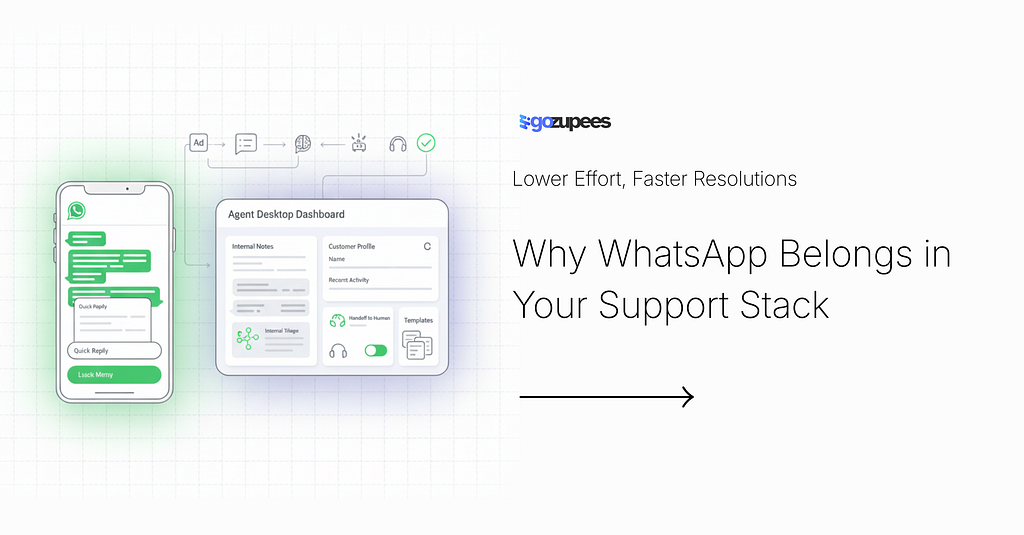
Lower Effort, Faster Resolutions
Why WhatsApp Has Become Crucial for Better Customer Support
Why WhatsApp Has Become Crucial for Better Customer Support
Customer support has changed shape. It’s no longer defined by phone queues and inboxes — it’s defined by speed, convenience, and continuity. Customers want to reach you where they already are, get help without repeating themselves, and move on with their day.
That’s exactly why WhatsApp has become a core support channel: it combines the familiarity of messaging with the operational power of a modern service platform.
WhatsApp’s reach is massive, and it’s still growing in markets where SMS and email aren’t the default. Meta’s earnings call transcript notes WhatsApp is continuing to gain share and has 100M+ monthly actives in the US (in addition to its strong global position). Meta also reported that “business messaging revenue growth” is being driven by the WhatsApp Business Platform, showing how central WhatsApp has become to customer-business communication.
Below is the real reason WhatsApp works so well for support — and how teams can use it to deliver a noticeably better experience.
1) Customers actually respond on WhatsApp (because they already live there)
Email is a “check later” channel. WhatsApp is a “see now” channel.
Because WhatsApp is part of customers’ daily communication habits, support conversations feel less like a ticket and more like a quick, natural exchange. That alone improves:
- response times
- resolution times
- customer effort (fewer steps, fewer logins, less waiting)
This is especially powerful for L1 support where questions are repetitive and urgency is common: delivery updates, appointment changes, payment issues, account access, basic troubleshooting, and status checks.
2) It turns support into a continuous conversation, not a reset button
One of the biggest drivers of poor CX is fragmentation: the customer calls, then emails, then chats — and every time they start over.
WhatsApp reduces that because conversations are threaded and persistent. Customers can leave and come back without losing context, and agents can pick up exactly where things left off. It’s a natural fit for issues that take time: document collection, investigations, approvals, follow-ups, reschedules.
3) Rich, guided interactions reduce back-and-forth
WhatsApp isn’t just text. With the Business Platform, teams can build guided flows that reduce confusion and speed resolution:
- interactive buttons (quick replies, calls-to-action)
- lists/menus (choose an issue type, confirm an option)
- structured “next step” prompts (collect the right info early)
WhatsApp’s own Business Platform tooling supports interactive message types like reply buttons and lists, which are perfect for L1 triage and “choose one” moments.
This is how you avoid the classic loop:
“Can you confirm your order number?”
“Sure, it’s…”
“And your email?”
“It’s…”
“And your address?”
Instead, you guide customers through a clean, fast path.
4) It’s built for real support operations (not just chatting)
WhatsApp is often underestimated because it feels informal. But the Business Platform is designed for business-grade workflows:
- approved message templates for outbound updates (e.g., shipping delays, appointment reminders)
- policy controls like the 24-hour customer service window for free-form support conversations (important for compliance and anti-spam)
- automation and routing via APIs and integrations (CRMs, helpdesks, order systems)
The result: WhatsApp can act like a full service channel — not a side inbox.
5) Trust matters: encryption and privacy expectations are rising
Support often includes sensitive moments: account access, identity checks, payments, personal details. Customers want to feel safe.
WhatsApp is widely associated with secure communication, and multiple reputable outlets note its use of end-to-end encryption for messages and calls. Even as WhatsApp evolves (including monetization changes like ads in the Updates tab), reporting emphasizes that private chats remain encrypted and separate from those ad surfaces.
For support leaders, the takeaway is simple: trust isn’t a bonus feature — it’s part of the channel choice.
6) It shortens the path from “problem” to “conversation”
WhatsApp also reduces friction at the very start of the journey.
With Click-to-WhatsApp ads, customers can go from seeing an ad on Facebook/Instagram to starting a WhatsApp conversation in one tap — which is powerful for both sales-to-support handoffs and support-first acquisition flows. This can be a game-changer for:
- high-consideration purchases (where customers want reassurance)
- onboarding-heavy services (where questions spike after sign-up)
- urgent support needs (where speed prevents churn)
Best-practice playbook for WhatsApp support
If you’re rolling out WhatsApp (or trying to make it perform better), focus on these basics:
Design for L1 excellence
Start with 10–20 high-volume intents:
- order/status checks
- reschedules/cancellations
- payment failures
- returns/refunds eligibility
- account access basics
- simple troubleshooting
Use interactive messages to guide choices
Buttons and lists reduce typing, reduce errors, and speed resolution.
Make escalation effortless
When the issue becomes complex or emotional, hand off to a human with context and a short summary.
Set proactive expectations with templates
Use approved templates for key updates and reminders (and stay compliant with WhatsApp rules). (Meta Blueprint)
Measure what matters
Track:
- time to first response
- time to resolution
- repeat contacts (same issue)
- containment/escalation rate
- customer effort (“how many messages to solve?”)
WhatsApp isn’t just a channel — it’s a customer experience advantage
WhatsApp has become crucial for customer support because it matches how customers want to communicate: fast, familiar, and frictionless — while still supporting structured, scalable service operations.
Why WhatsApp Belongs in Your Support Stack was originally published in AI for Business Academy on Medium, where people are continuing the conversation by highlighting and responding to this story.